
Template opens directly
Start in the runnable model.
Primary CTAs create a guest copy of the Rework Loop template instead of making consultants hunt through the library.
Give Lean and Six Sigma workshops a live model instead of another static value stream map. Open the rework template directly, run the baseline, and test one change before the client commits to a bigger project.
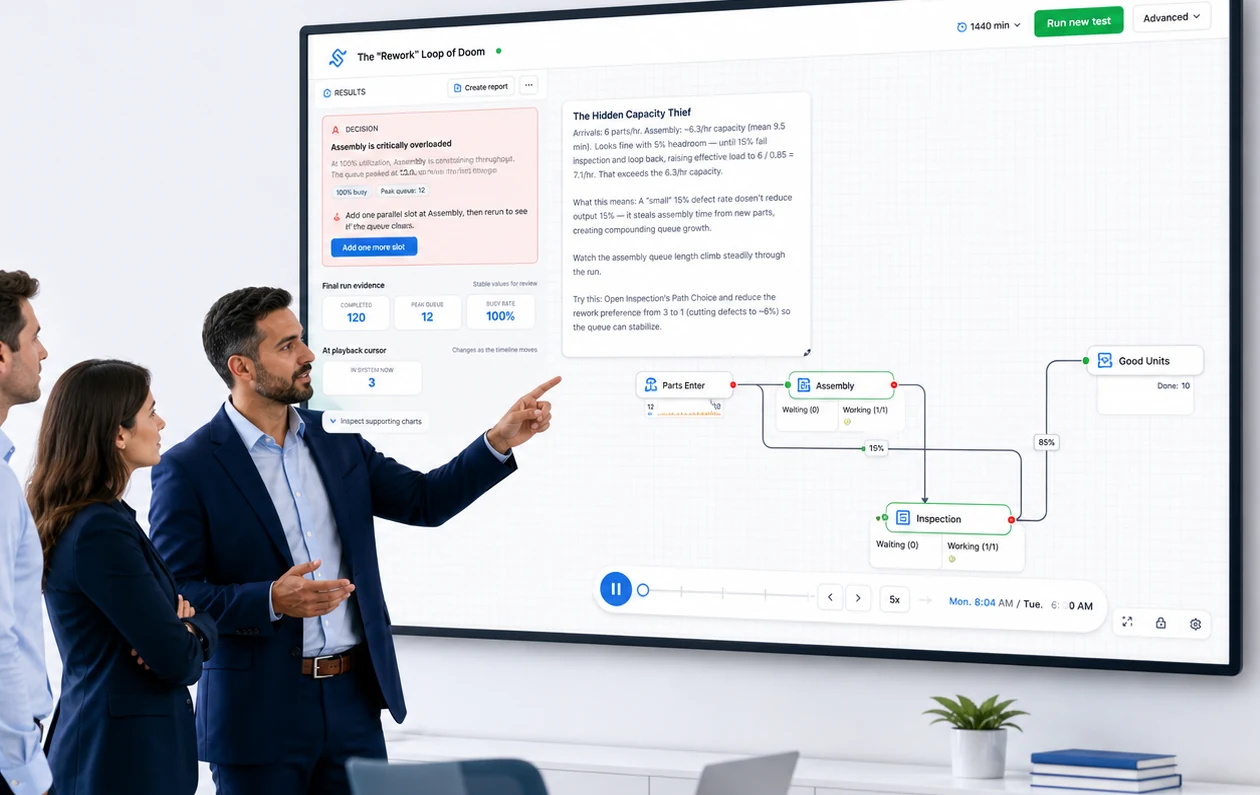
Primary CTAs create a guest copy of the Rework Loop template instead of making consultants hunt through the library.
Rework loops, random arrival spikes, and utilization pressure become visible enough to discuss with a client team.
Use the template now, or schedule a scope call for a $250 starter sprint from one anonymized process map.
The offer is intentionally narrow: one anonymized process, one baseline, and one change scenario you can use to explain bottlenecks in a client workshop.
Open a browser model, run the baseline, change one assumption, and inspect the results before a sales call or workshop.
Share the process type and decision question, then book a 30-minute call. If the flow is simple and anonymized, the first model sprint starts at $250.
The starter sprint works best when the consultant has one visible process, one bottleneck question, and permission to share an anonymized flow.
These templates already exist in the Simply Solver template library and open as runnable guest projects.
Show how defects and repeat processing consume hidden capacity.
Demonstrate why running near 100% utilization makes queues unstable.
Use a simple service queue to explain arrival and service variation.
Open the rework template now. If you want Simply Solver to build the first client-safe model, schedule a 30-minute scope call.